Why Your Receiver Finds Astra Instead of Hot Bird
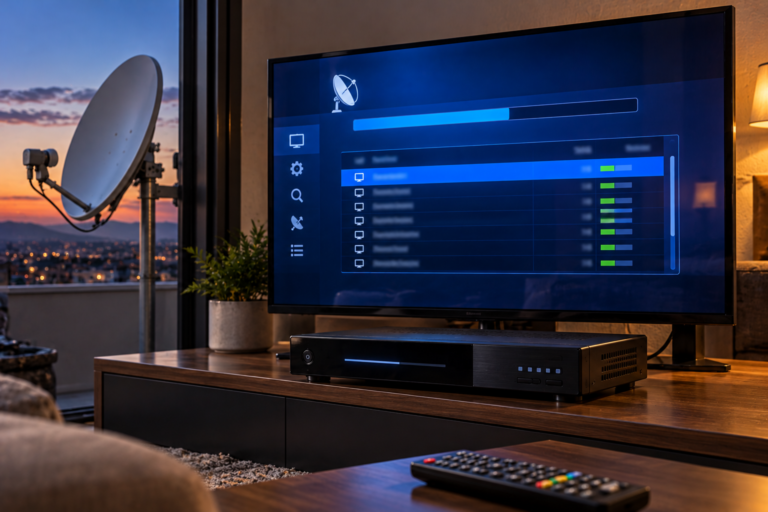
You select Hot Bird 13°E on your satellite receiver, start a channel scan, and discover services you associate with Astra 19.2°E instead. The receiver may even display a strong signal under the Hot Bird satellite name. So why does it appear to be receiving the wrong satellite?
The explanation usually lies in how the receiver selects its signal source. Choosing a satellite name in the installation menu does not physically point the dish toward that orbital position or guarantee that the correct LNB has been selected. To solve the problem, you need to establish which satellite signal is actually reaching the tuner, then determine whether dish alignment, switching configuration, or stored channel information is responsible.
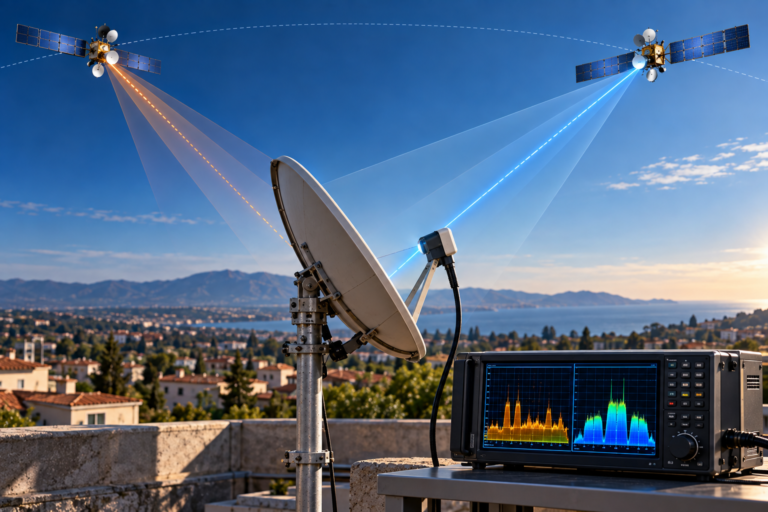
Hot Bird 13°E and Astra 19.2°E occupy different geostationary orbital positions. Their nominal orbital longitudes differ by 6.2 degrees, but that separation is not the same as the azimuth adjustment required at every receiving location. A fixed dish, multi-LNB system, monoblock installation, or motorized antenna can each produce wrong-satellite results for different reasons.
Why Selecting Hot Bird Does Not Identify the Satellite
Satellite receivers generally maintain a database of orbital positions and associated transponder parameters.
When you select Hot Bird 13°E, the receiver loads the configuration associated with that satellite entry. Depending on the installation, this can include stored frequencies, LNB settings, switching commands, and scanning options.
But the satellite name itself is not a measurement of the incoming RF signal.
A conventional receiver cannot move a fixed dish merely because you select another satellite from its menu. Nor does changing the name automatically identify which physical LNB is connected to the tuner.
If the dish is pointed at Astra 19.2°E, or an external switch routes the Astra feed to the receiver, the tuner may still receive Astra signals while the menu displays Hot Bird.
Whether the receiver actually locks onto those signals depends on the selected carrier parameters and the signal being delivered.
Why Signal Strength Can Be Misleading
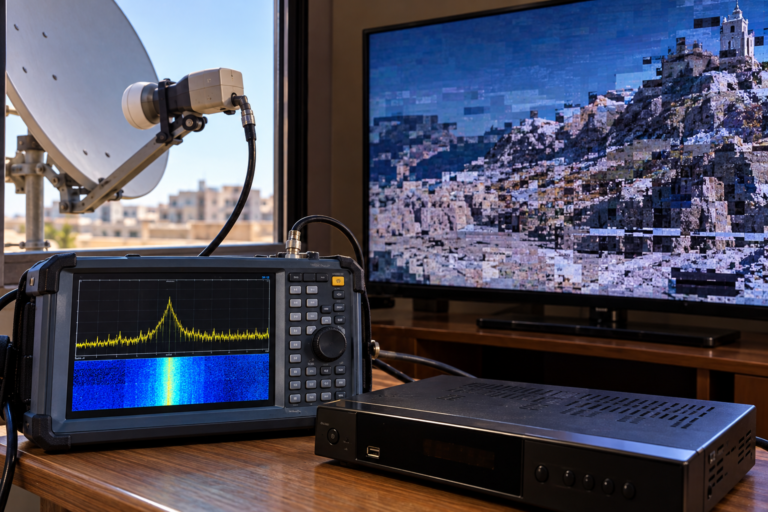
A receiver may display a high signal-strength percentage even when the selected transponder cannot be decoded.
Some signal-level indicators primarily reflect tuner input conditions rather than successful identification of the intended satellite.
A valid digital lock provides more meaningful information, but even a lock does not establish satellite identity unless the received carrier and its associated service or network data have been verified.
Our related technical article, Why Astra 19.2E Is Strong but Channels Still Freeze, explains why receiving substantial RF power is different from recovering a stable digital television service. That distinction also matters when diagnosing a receiver that appears to find the wrong satellite.
Hot Bird 13E vs Astra 19.2E: Two Different Orbital Positions
Hot Bird and Astra serve important European satellite television markets, but their orbital positions are separate.
Hot Bird operates around 13° east orbital longitude, while Astra’s major European broadcast position is located at 19.2° east.
The difference is 6.2 degrees in orbital longitude.
However, a satellite dish installation uses local azimuth and elevation angles determined by the observer’s geographic position.
Those local pointing angles are not identical to the numerical difference between orbital longitudes.
A receiver owner should therefore avoid assuming that moving the dish exactly 6.2 degrees horizontally will necessarily align it with the other satellite.
Why a Single-LNB Dish Normally Receives One Position
A standard fixed dish with one correctly positioned LNB is normally aligned to one chosen orbital position.
The reflector concentrates incoming satellite energy around its focal region. Signals from other orbital positions arrive at different angles and may fall outside the antenna’s useful reception pattern.
Receiving Astra successfully does not mean the installation is also receiving Hot Bird.
For reliable reception from both positions, an installation generally requires an appropriate multiple-feed arrangement, separate antennas, or a motorized system.
When the Dish Is Actually Pointing at Astra
If the installation uses a single fixed LNB and the receiver consistently acquires verified Astra transponders, physical dish alignment should be investigated early.
The dish may have been aligned to Astra during an earlier installation. Alternatively, someone adjusting the antenna may have stopped at the first strong signal without confirming the orbital position.
This can happen when using a basic satellite finder that measures RF level but does not identify digital transport information.
A Signal Peak Is Not Satellite Identification
Basic signal meters can respond to satellite energy without confirming which orbital position produced it.
Finding a strong peak is therefore only the beginning of an alignment procedure.
Reliable identification requires checking a currently active reference carrier and confirming that the received signal corresponds to the intended satellite.
That confirmation should precede fine alignment.
Why Random Dish Movement Is a Poor Solution
Moving the reflector without knowing the current alignment can make the problem harder to diagnose.
For a single-LNB installation, first calculate the local pointing angles for Hot Bird 13°E. Then use controlled azimuth and elevation adjustments while monitoring a verified reference carrier.
Do not follow universal left-or-right instructions without considering the installation location and the side from which the dish is being viewed.
For a correctly installed multi-satellite arrangement, moving the reflector may be unnecessary and could disturb an otherwise working alignment.
How DiSEqC Port Errors Make the Receiver Find Astra
In an installation with multiple LNBs, a DiSEqC switch allows the receiver to select between different satellite feeds through a common coaxial cable.
The receiver must know which switching command corresponds to each physical input.
Suppose a two-input switch is wired with Astra on Port A and Hot Bird on Port B.
If the receiver is configured with the opposite mapping, selecting Hot Bird may actually connect the tuner to the Astra LNB.
The receiver is not confusing the satellites. It is requesting the wrong signal path.
| Physical Connection | Correct Receiver Assignment |
|---|---|
| Port A connected to Astra LNB | Astra 19.2°E → Port A |
| Port B connected to Hot Bird LNB | Hot Bird 13°E → Port B |
This is an illustrative installation example, not a universal port assignment. Some systems use the opposite arrangement.
DiSEqC 1.0 and More Complex Switching Systems
DiSEqC 1.0 is commonly used for selecting among a small number of satellite inputs through compatible switching equipment.
Larger distribution systems may use DiSEqC 1.1 or other configurations, while motorized installations may use positioning commands supported by the receiver and motor.
These functions should not be treated as interchangeable.
Before modifying settings, identify the actual installed hardware and its required switching method.
Do not assume Port A always means Astra or Port B always means Hot Bird. The correct assignment depends on the physical wiring and the specific LNB or switching device.
Why Monoblock and Multi-LNB Installations Can Behave Differently
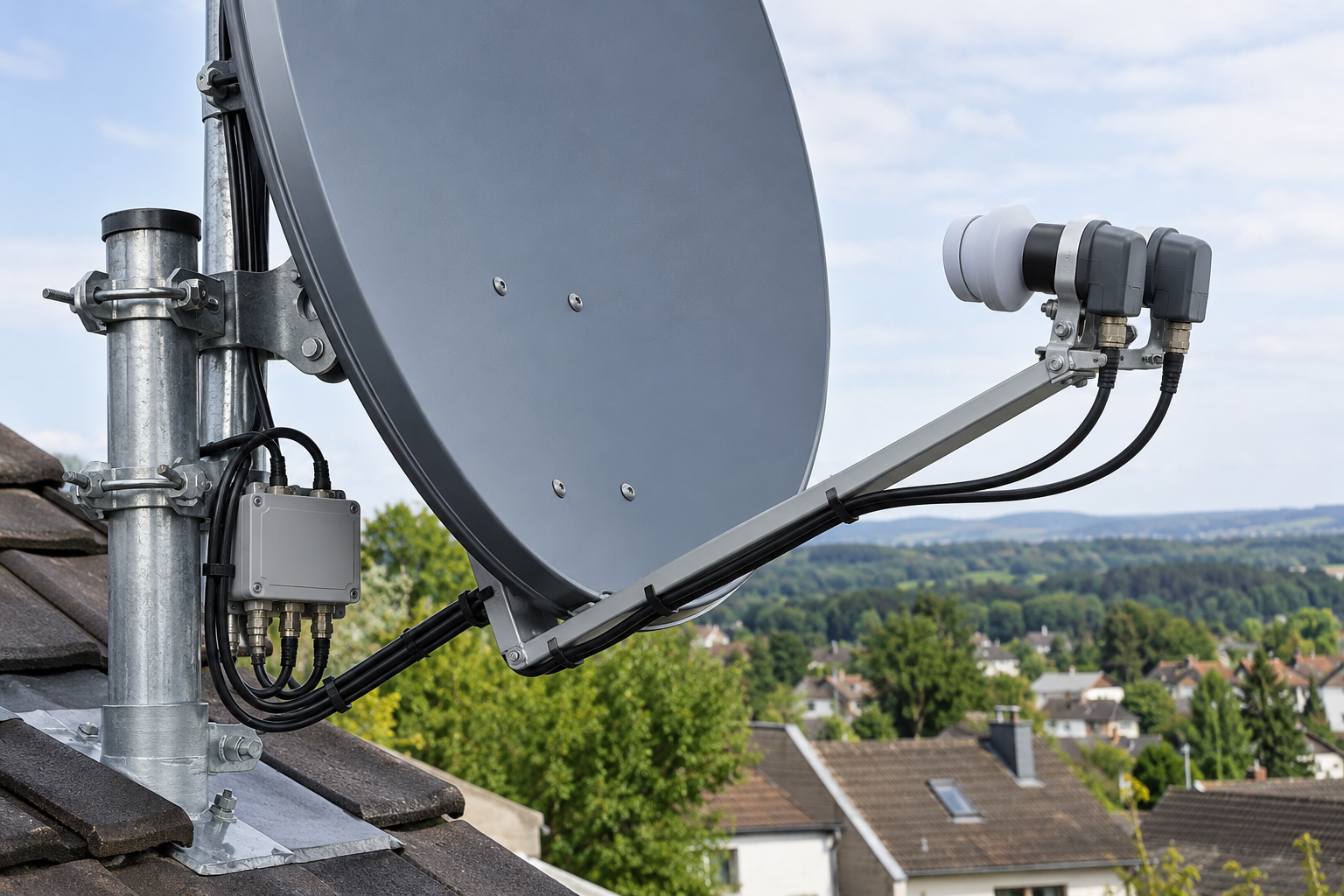
A monoblock LNB combines two receiving feed positions and, in many designs, integrated switching electronics within one assembly.
Models intended for Astra 19.2°E and Hot Bird 13°E use feed geometry designed around the angular separation of those positions and particular dish characteristics.
However, using a monoblock does not guarantee correct reception without proper configuration.
Incorrect Feed Position or Orientation
A monoblock may be installed in an unsuitable orientation or used with a reflector whose geometry does not match the intended feed spacing.
The result can be strong reception from one position and insufficient reception from the other.
Physical orientation must follow the manufacturer’s instructions and the installation’s viewing geometry.
Incorrect Integrated Switch Mapping
Many monoblocks include internal DiSEqC switching, but their input assignments can differ between products.
A receiver configured for the wrong assignment may select Astra when Hot Bird was intended.
This is why identifying the monoblock model and confirming its documented port mapping is more reliable than repeatedly changing satellite names in the menu.
Separate LNBs on a Multi-Feed Bracket
Systems using two independent LNBs introduce additional variables: feed spacing, mounting height, skew, cable routing, and external switch assignments.
A feed that is not positioned correctly for the intended satellite may provide inadequate signal quality even when the switch routing is correct.
Switching errors and alignment errors must therefore be tested separately.
How Receiver Databases Create Wrong-Satellite Confusion
Not every apparent Astra result means the receiver is currently receiving Astra RF signals.
Channel databases can contain outdated satellite assignments, imported service lists, obsolete transponder entries, or previous scanning results.
A saved channel may retain a label that no longer accurately describes its current configuration.
Some receivers also allow blind scanning, in which candidate carriers are detected without relying entirely on the stored frequency list.
When the selected input is physically connected to the wrong satellite, discovered services may be saved under the satellite entry currently selected in the receiver’s database.
That does not change the actual orbital position from which the signal originated.
Why Channel Names Are Not Enough
A familiar channel name cannot independently establish satellite identity.
Some broadcasters distribute services through multiple satellites. Receiver databases can also contain duplicate or obsolete service labels.
Reliable diagnosis requires examining current transponder information and, where possible, the received transport stream and associated service information.
When a Rescan Helps and When It Does Not
Rescanning can be useful when the receiver’s service database is outdated or when valid transmission parameters have changed.
But a scan cannot physically redirect a fixed antenna or repair incorrect DiSEqC wiring.
If the wrong LNB remains selected, repeated scans can continue producing misleading results.
For a detailed explanation of how receiver channel databases and broadcast changes affect tuning, see Why Some Astra Channels Need a Full Rescan. The same distinction between RF reception and service database maintenance applies when investigating apparent wrong-satellite scan results.
How to Confirm Which Satellite the Receiver Is Actually Receiving
The most reliable approach combines a known reference carrier with information recovered from the received digital signal.
1. Select a Verified Reference Transponder
Use a currently active carrier whose frequency, polarization, symbol rate, and other required tuning parameters have been confirmed from a reliable source.
A current operator reference or dependable technical database is preferable to an old receiver preset.
Do not rely on an arbitrary example frequency found in an outdated installation guide.
2. Check Digital Lock, Not Just RF Level
Confirm that the receiver or analyzer has acquired the intended digital carrier.
A signal-strength indicator alone does not establish a valid lock, much less identify the satellite.
3. Examine Service and Network Information
Where supported, inspect the received services and DVB service-information fields.
Network identifiers, transport-stream identifiers, and other signaling data can support identification when compared against reliable reference information.
These identifiers should be interpreted in context. A single field is not an infallible satellite-location measurement, and inaccurate receiver databases may introduce misleading labels.
4. Confirm With Additional Carriers
When possible, test more than one independently verified transponder associated with the intended orbital position.
This reduces the chance of drawing conclusions from an incorrect database entry or an ambiguous carrier match.
A professional analyzer with appropriate transport-stream identification features can make this process significantly easier.
What Different Wrong-Satellite Symptoms Mean
| Observed Symptom | Likely Area to Investigate | Recommended Check |
|---|---|---|
| Single-LNB dish receives verified Astra carriers | Physical dish pointing | Calculate Hot Bird angles and verify alignment |
| Switching satellite names changes nothing | Fixed antenna direction or ineffective switching | Identify the connected LNB and switch configuration |
| Astra appears under the Hot Bird satellite entry | Incorrect routing or database assignment | Verify received services and physical input path |
| Changing DiSEqC ports changes the received services | Switch port mapping | Match assignments to actual hardware connections |
| One monoblock feed works while the other fails | Feed alignment, geometry or switch configuration | Check installation instructions and individual paths |
| Old Astra channels remain listed without a current lock | Stored service database | Test actual reception before rescanning |
| Motorized dish moves to an unexpected position | Motor reference or stored position configuration | Check motor settings and calibrated alignment |
These patterns narrow the possible causes. They are not definitive proof of a specific fault until the selected signal path and received carrier have been checked.
Step-by-Step: Fix a Receiver That Finds Astra Instead of Hot Bird
Step 1: Identify the Installation Type
Determine whether the system uses a single fixed LNB, separate LNBs, a monoblock, a multiswitch, or a motorized antenna.
The correct diagnostic procedure depends on this distinction.
Step 2: Record the Existing Receiver Configuration
Before changing settings, record the selected satellite, LNB type, local oscillator settings, DiSEqC assignments, and any motor parameters.
Preserving the original configuration makes it easier to reverse an unsuccessful change.
Step 3: Check Universal-LNB Settings
For a conventional universal Ku-band LNB, verify that the receiver uses the correct local oscillator configuration, commonly 9750/10600 MHz.
Also confirm that band and polarization switching are configured appropriately for the installed hardware.
Do not apply standard universal-LNB settings blindly to Quattro, multiswitch, or SCR/dCSS distribution systems.
Step 4: Verify the Selected LNB Path
In a multi-LNB installation, identify which physical feed should receive Hot Bird.
Compare that connection with the receiver’s switching assignment and the switch or monoblock manufacturer’s documentation.
If changing DiSEqC ports produces different verified satellite signals, map those results before saving the final configuration.
Step 5: Confirm Dish Alignment
For a single fixed-LNB installation, calculate the correct Hot Bird pointing angles for the receiving location.
Monitor a verified Hot Bird reference transponder while carefully adjusting the dish, if adjustment is necessary.
Once acquired, optimize alignment using signal quality or professional measurements such as MER rather than signal-strength percentages alone.
Step 6: Verify Hot Bird With More Than One Carrier
Confirm stable reception from several valid Hot Bird transponders when practical.
This helps distinguish genuine satellite acquisition from an isolated or incorrectly identified scan result.
Step 7: Scan Only After the RF Path Is Confirmed
Once Hot Bird is positively identified and correctly routed, perform a manual or appropriate network scan using current transmission data.
Preserve existing channel lists if required, and avoid a factory reset unless simpler diagnostic steps have failed and a reset is genuinely warranted.
Identify the hardware → Verify LNB routing → Confirm the actual satellite → Optimize reception → Update the channel database.
Following this order prevents a channel scan from hiding an unresolved installation problem.
Reality Check: The Receiver Cannot Change a Fixed Dish’s Direction
Selecting Hot Bird in a receiver menu does not make the antenna point toward 13°E.
With a single fixed LNB, the antenna must already be physically aligned to the intended position. With multiple LNBs, the correct feed must be selected through the configured switching system. With a motorized antenna, the position-control system must move to the proper location.
A strong signal indicator, a familiar channel name, or a successful blind scan is not sufficient by itself to prove satellite identity.
Verify the actual received carrier and signal path before changing equipment or deleting channel data.
Final Verdict
If your receiver finds Astra instead of Hot Bird, the most important first step is to confirm which satellite signal is physically reaching the tuner.
On a single-LNB installation, incorrect dish alignment is an important possibility. On multi-LNB and monoblock installations, DiSEqC assignments, feed geometry, and switching configuration deserve particular attention.
Receiver databases can create additional confusion by retaining outdated services or labeling scanned channels under the wrong satellite entry.
Use verified reference transponders, check the actual LNB path, confirm digital reception, and update the channel list only after the intended satellite has been identified.
Frequently Asked Questions
Why does my receiver find Astra channels when Hot Bird is selected?
The receiver may be connected to an Astra-aligned dish or LNB, the DiSEqC assignment may be incorrect, or the channel database may contain misleading entries. Confirm the actual received transponder before deciding which cause applies.
Can incorrect DiSEqC settings make Hot Bird show Astra channels?
Yes. If the receiver sends a switching command that selects the Astra LNB instead of the Hot Bird LNB, the tuner receives the wrong signal path.
How can I confirm that I am receiving Hot Bird 13E?
Lock a currently verified Hot Bird carrier and compare the received service or network information with reliable references. Test additional carriers where possible. A signal-strength reading alone is insufficient.
Are Hot Bird and Astra only 6.2 degrees apart?
The nominal orbital longitudes of Hot Bird 13°E and Astra 19.2°E differ by 6.2 degrees. The physical pointing-angle difference seen from a particular receiving location must be calculated separately.
Will rescanning fix a receiver that finds the wrong satellite?
Not if the antenna is pointed at the wrong orbital position or the switch selects the wrong LNB. A rescan can correct channel database problems only after the intended signal is reaching the tuner.
Why does my monoblock LNB receive Astra but not Hot Bird?
Possible causes include incorrect DiSEqC port mapping, feed orientation, dish geometry, alignment margin, or a hardware fault. Check the monoblock model and its installation instructions before moving the dish.
Can I receive Astra 19.2E and Hot Bird 13E on the same dish?
Often yes, using a correctly designed multi-feed arrangement or compatible monoblock LNB. The practical result depends on reflector geometry, installation location, feed positioning, and available reception margin.