Why Netflix 4K Does Not Always Look Sharp
Estimated reading time: 20 to 27 minutes.
Many people expect Netflix 4K to always look crystal clear. After all, 4K contains far more pixels than standard HD. But in real world streaming, many users notice something confusing. Some 4K shows look incredibly sharp, while others appear soft, blurry, compressed, or strangely inconsistent.
This happens because resolution alone does not determine image quality. Streaming sharpness depends on bitrate, compression efficiency, motion complexity, network stability, HDR processing, display quality, and adaptive streaming behavior all working together in real time.
Quick Context. Netflix 4K does not always look sharp because streaming quality depends far more on bitrate stability and compression efficiency than resolution numbers alone.
Table of Contents
The biggest misunderstanding about 4K
Why bitrate matters more than resolution
Streaming compression explained
Adaptive streaming and quality fluctuations
Why motion scenes lose sharpness
Dark scenes and compression collapse
How unstable internet affects 4K clarity
Why WiFi often softens Netflix 4K
HDR processing and perceived sharpness
Why OLED TVs reveal flaws more clearly
Smart TV image processing issues
Why Netflix 4K looks worse at night
Netflix server load and delivery pressure
Not all Netflix content is equal
Streaming 4K versus Blu ray quality
The biggest misunderstanding about 4K
Most users believe 4K automatically guarantees perfect image quality.
But resolution only describes pixel count.
Sharpness depends on how much image information survives compression and delivery.
A heavily compressed 4K stream may actually look softer than a cleaner lower resolution source.
This surprises many people because marketing often reduces image quality to one simple number.
Real streaming quality is far more complicated.
Why bitrate matters more than resolution
Bitrate is the hidden engine behind streaming quality.
Bitrate determines how much visual information Netflix delivers every second.
Higher bitrate preserves:
- Texture detail
- Motion clarity
- Shadow precision
- Color gradients
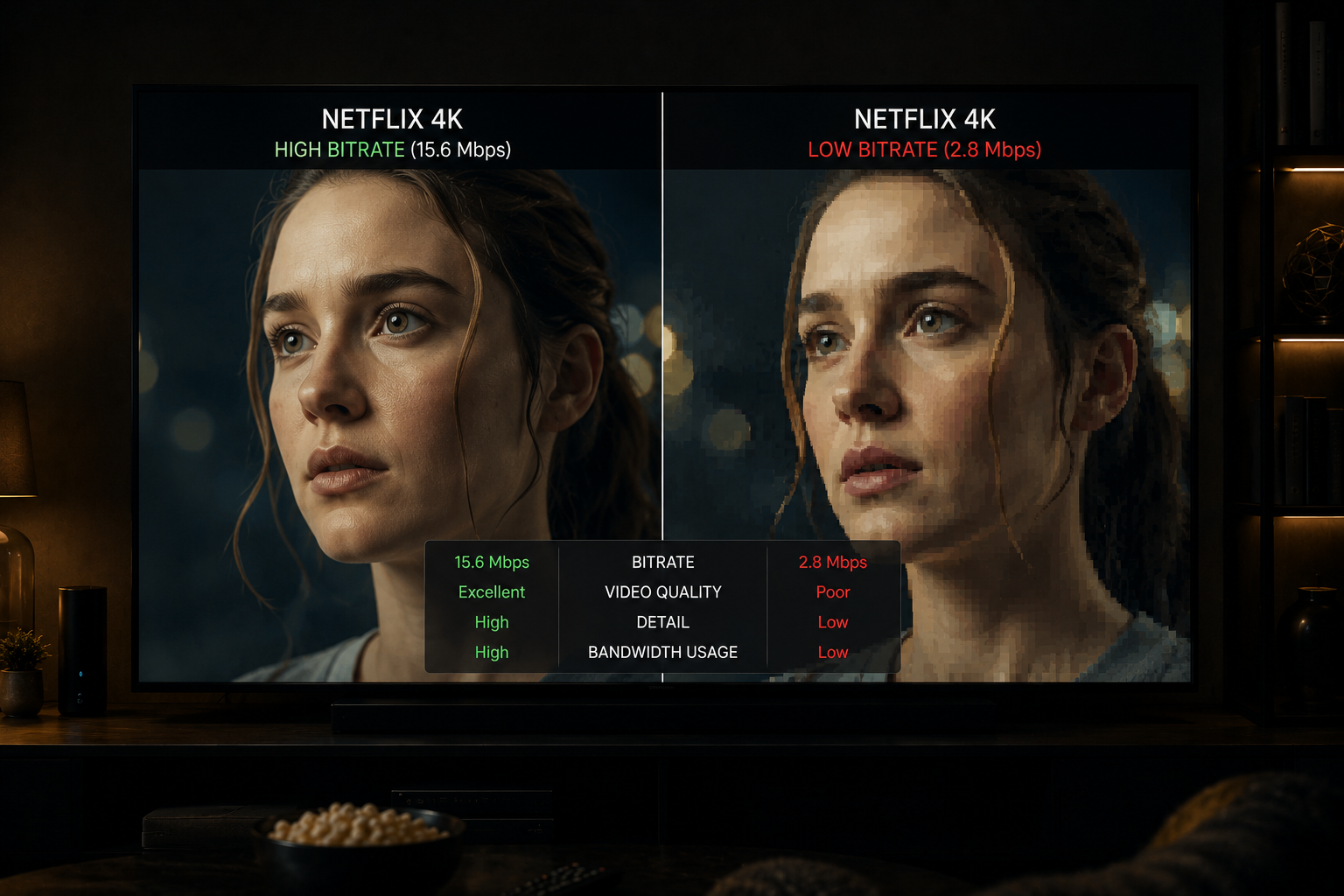
Low bitrate forces the encoder to discard information aggressively.
This creates:
- Softness
- Smearing
- Macroblocking
- Loss of fine detail
4K resolution alone cannot compensate for insufficient bitrate.
Streaming compression explained
Netflix compresses video heavily to make internet streaming practical.
Without compression, true high quality 4K delivery would require enormous bandwidth.
Compression removes image data the encoder considers less important.
But aggressive compression inevitably affects image quality.
The more visually complex the scene becomes, the harder compression must work.
This is where sharpness often collapses.
Adaptive streaming and quality fluctuations
Netflix uses adaptive bitrate streaming.
The system constantly adjusts quality dynamically depending on:
- Network stability
- Buffer health
- Packet timing
- Bandwidth consistency
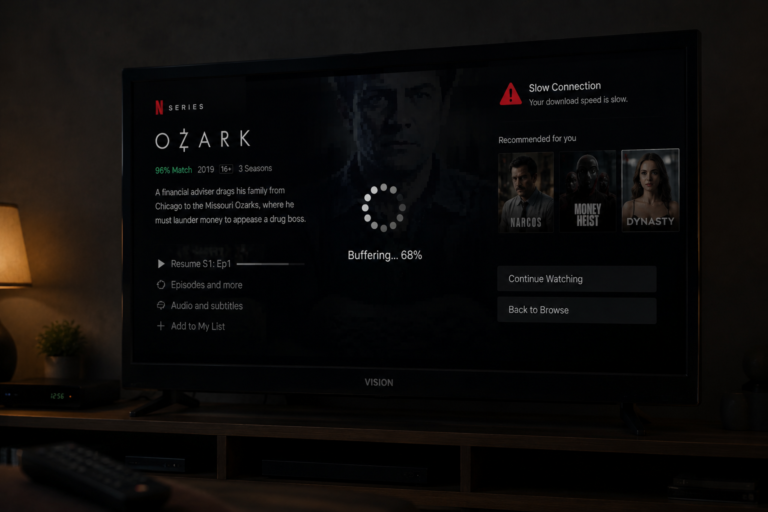
If the network becomes unstable, Netflix lowers bitrate automatically.
The stream may still technically remain 4K resolution while image quality visibly worsens.
This is why many users say:
“It still says 4K but it does not look sharp.”
The resolution remained high, but bitrate quality collapsed.
Why motion scenes lose sharpness
Fast movement is extremely difficult for compressed streaming systems.
Action scenes contain:
- Rapid camera movement
- Explosions
- Smoke
- Particle effects
- Heavy motion complexity
Every frame changes dramatically.
This increases bitrate demand enormously.
If bitrate becomes insufficient:
- Motion smears
- Edges soften
- Textures disappear
Action scenes often expose streaming weakness more clearly than slow scenes.
Dark scenes and compression collapse
Dark scenes are another major challenge for streaming compression.
Shadows require subtle gradients and fine detail preservation.
When bitrate drops:
- Shadow detail disappears
- Banding appears
- Compression blocks become visible
- Black areas become noisy
This is why nighttime scenes often look surprisingly poor even in 4K.
The stream simply lacks enough bitrate to preserve delicate shadow information correctly.
How unstable internet affects 4K clarity
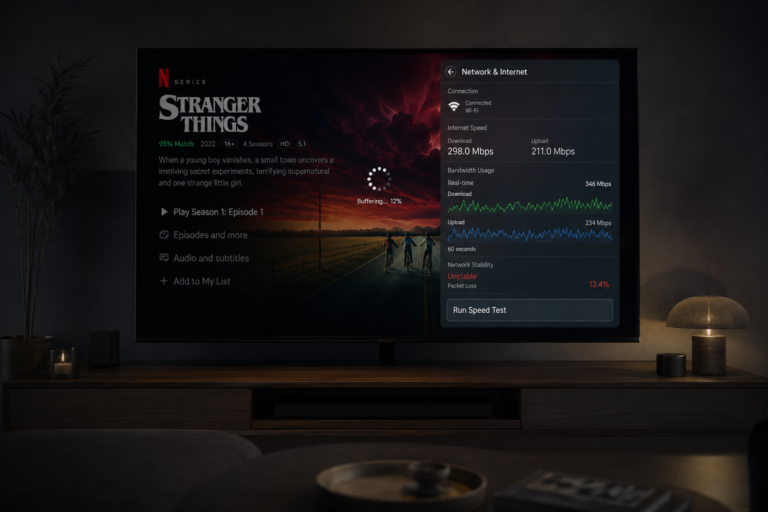
4K streaming requires highly stable delivery.
Even fast internet may still suffer:
- Jitter
- Packet loss
- Congestion
- Timing instability
Netflix reacts aggressively to instability.
The adaptive streaming system lowers bitrate to protect playback continuity.
The image becomes softer immediately.
This is why stable internet matters more than peak speed.
Why WiFi often softens Netflix 4K
WiFi networks naturally create more instability than Ethernet.
Wireless environments suffer from:
- Interference
- Signal reflection
- Channel overlap
- Packet collisions
These issues destabilize packet timing.
Netflix responds by reducing bitrate.
The image may still technically remain 4K, but visual sharpness decreases noticeably.
Ethernet connections usually maintain cleaner 4K playback because timing remains more predictable.
HDR processing and perceived sharpness
HDR changes how viewers perceive image quality.
HDR emphasizes:
- Brightness contrast
- Highlight intensity
- Shadow depth
When HDR processing works correctly, the image feels richer and more dimensional.
But HDR also increases compression pressure.
If bitrate becomes insufficient:
- Highlights clip
- Shadows collapse
- Banding increases
This reduces perceived sharpness even though resolution remains high.
Why OLED TVs reveal flaws more clearly
OLED TVs expose compression flaws more aggressively than many older displays.
OLED panels produce:
- Perfect black levels
- Extremely fast pixel response
- High contrast precision
This makes:
- Compression artifacts
- Banding
- Macroblocking
- Motion softness
far easier to notice.
The TV is not causing the softness.
It is revealing weaknesses already present in the stream.
Smart TV image processing issues
Many smart TVs apply heavy image processing automatically.
Examples include:
- Noise reduction
- Sharpness enhancement
- Motion smoothing
- Upscaling filters
These systems sometimes make compressed streaming video look softer or less natural.
Overprocessed images often lose fine texture detail.
This creates the illusion that Netflix 4K itself is blurry.
Why Netflix 4K looks worse at night
Peak evening hours increase congestion across the internet.
During busy periods:
- Bandwidth competition rises
- Packet timing becomes unstable
- Adaptive bitrate becomes aggressive
Netflix often lowers bitrate dramatically during these conditions.
The image becomes:
- Softer
- More compressed
- Less detailed
Many users notice Netflix looks sharper late at night after congestion decreases.
Netflix server load and delivery pressure
Netflix operates massive content delivery infrastructure.
But during peak hours, millions of simultaneous streams create heavy demand pressure.
This affects:
- Traffic balancing
- Regional delivery consistency
- Adaptive quality behavior
Although Netflix performs remarkably well overall, no streaming platform completely escapes congestion related quality reduction.
Not all Netflix content is equal
Some Netflix shows are mastered far better than others.
Content quality depends on:
- Original camera quality
- Mastering process
- Compression settings
- Color grading
- Delivery optimization
Some productions maintain excellent sharpness under compression.
Others collapse more easily.
This is why one Netflix show may look stunning while another appears strangely soft.
Streaming 4K versus Blu ray quality
Many people compare Netflix 4K to physical 4K Blu ray discs.
Physical media usually delivers:
- Much higher bitrate
- Lower compression
- Cleaner motion
- Better shadow detail
Streaming must balance quality against internet bandwidth limitations.
This is why physical media often appears dramatically sharper even at the same resolution.
A real world 4K streaming example
Imagine someone streaming Netflix in 4K HDR over WiFi during a busy evening.
The stream begins at strong quality.
Then:
- Network congestion increases
- WiFi interference rises
- Packet timing becomes unstable
- Adaptive bitrate lowers quality
The stream still displays as 4K.
But visually:
- Textures soften
- Dark scenes break apart
- Motion smears during action scenes
The user wonders why 4K suddenly looks blurry.
The answer is simple:
Resolution survived, but bitrate quality did not.
| Factor | Technical Effect | Visible Result |
|---|---|---|
| Low bitrate | Reduced image information | Soft image |
| Heavy compression | Lost texture detail | Blur and artifacts |
| WiFi instability | Adaptive bitrate reduction | Lower sharpness |
| Action scenes | Higher data complexity | Motion smearing |
| Dark scenes | Shadow compression pressure | Banding and noise |
| Peak hour congestion | Bandwidth instability | Quality fluctuations |
| OLED displays | Artifact visibility increases | Compression flaws become obvious |
Reality Check
Netflix 4K sharpness depends far more on bitrate stability and compression quality than resolution numbers alone. Streaming systems constantly balance visual quality against bandwidth limitations and playback stability.
Final Verdict
Netflix 4K does not always look sharp because modern streaming quality depends on much more than pixel count. Bitrate stability, compression efficiency, network consistency, motion complexity, HDR processing, and adaptive streaming behavior all influence perceived image clarity. A stream may technically remain 4K resolution while visual sharpness collapses due to aggressive bitrate reduction and compression pressure. Streaming quality is ultimately a balance between bandwidth limitations and visual fidelity, and that balance constantly changes in real time.
FAQ
| Question | Answer |
|---|---|
| Why does Netflix 4K sometimes look blurry | Because bitrate and compression quality matter more than resolution alone |
| Can WiFi reduce Netflix 4K sharpness | Yes unstable WiFi forces bitrate reduction and heavier compression |
| Why do dark scenes look poor in 4K streaming | Shadow detail is extremely difficult to compress efficiently |
| Does OLED make Netflix flaws more visible | Yes OLED displays reveal compression artifacts very clearly |
| Why is Blu ray often sharper than Netflix 4K | Because physical media uses much higher bitrate and less compression |