Why Sky Italia Freezes During Live Matches Technical Reasons Explained

Estimated reading time: 10 to 12 minutes.
Freezing during live matches is one of the most noticeable problems in Sky Italia streaming. The moment that matters most on screen, the image stops, the audio cuts, or the stream buffers. This is not just frustrating. It also raises a key question. Why does this happen more often during live events than normal viewing?
The answer lies in how streaming systems behave under pressure. Live matches create a unique environment where millions of users request the same content at the same time. Combined with network variability and device limitations, this creates conditions where even small timing issues can lead to visible freezing. Understanding these factors explains why the problem appears and how to reduce it.
Quick Context. Sky Italia freezes during live matches due to a combination of peak demand, network instability, buffering limits, latency, and device processing constraints.
Table of Contents
Why live matches behave differently
Peak demand and server pressure
Latency and real time delivery
Buffer behavior during live streaming
Network instability under load
WiFi limitations during high traffic
Device performance during live playback
Why live matches behave differently
Live streaming is different from on demand content. In on demand playback, the system can buffer more data in advance. This creates a larger safety margin. In live streaming, the buffer is usually smaller to reduce delay between real events and what you see on screen.
This smaller buffer means there is less protection against interruptions. If data delivery slows down even slightly, the system has less stored content to rely on. This makes freezing more likely during live events.
In addition, live matches attract a large number of viewers at the same time. This creates conditions that do not exist during normal viewing.
Peak demand and server pressure
When a major match starts, many users connect simultaneously. Each device requests video segments from the service. This creates a surge in demand.
Modern streaming systems are designed to handle large audiences, but peak demand still affects delivery timing. Even small delays in segment availability can disrupt the continuous flow needed for smooth playback.
During these moments, the system must distribute content efficiently across many users. If the timing becomes inconsistent, freezing can occur.
Latency and real time delivery
Latency becomes more visible during live events. In streaming, latency refers to how long it takes for data to travel from the server to your device.
Higher latency means delays in receiving video segments. During live matches, this delay affects how quickly the buffer can refill. If segments arrive too late, playback pauses.
Unlike recorded content, live streams cannot rely on large preloaded buffers. This makes latency a critical factor in maintaining smooth playback.
Buffer behavior during live streaming
The buffer stores a short portion of video ahead of playback. During live streaming, this buffer is intentionally limited to keep the stream closer to real time.
While this reduces delay, it also reduces protection. If the buffer empties, the stream must pause. This is why freezing appears quickly when delivery slows down.
Buffer behavior is a balance between delay and stability. Live matches prioritize lower delay, which increases sensitivity to interruptions.
Network instability under load
Network conditions often change during live events. Many users share the same infrastructure, which increases traffic across networks.
This can lead to inconsistent data delivery. Even if the connection is fast, small fluctuations can affect timing. These fluctuations may not be noticeable in other activities but become critical in streaming.
Network routing can also change under load, introducing additional delay. These factors combine to create conditions where freezing becomes more likely.
WiFi limitations during high traffic
WiFi networks are especially sensitive during live events. Multiple devices may be active at the same time, sharing the same bandwidth.
Interference from nearby networks or devices can also increase during peak hours. This affects how data is transmitted to your device.
Even if signal strength appears strong, the connection may not be stable enough for continuous streaming. This instability can lead to freezing.
Using a wired connection often improves performance by removing wireless variability.
Device performance during live playback
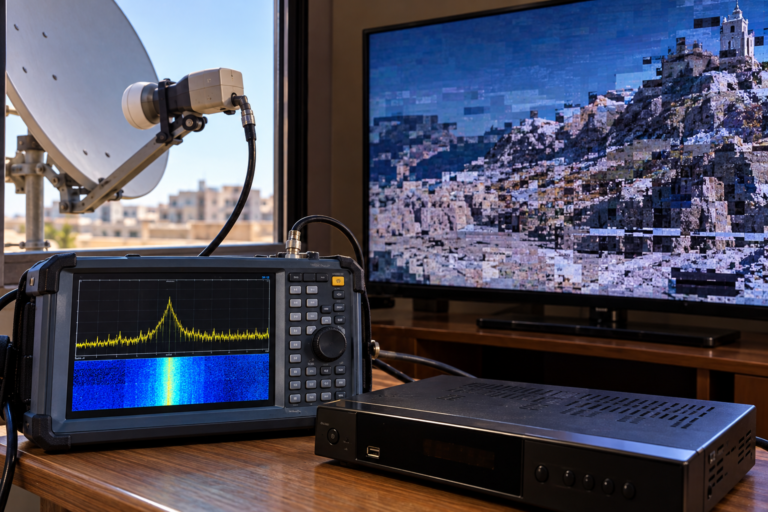
Device performance becomes more important during live streaming. The device must decode video in real time without delay.
Older or slower devices may struggle under these conditions. They may process data more slowly, leading to lag or freezing.
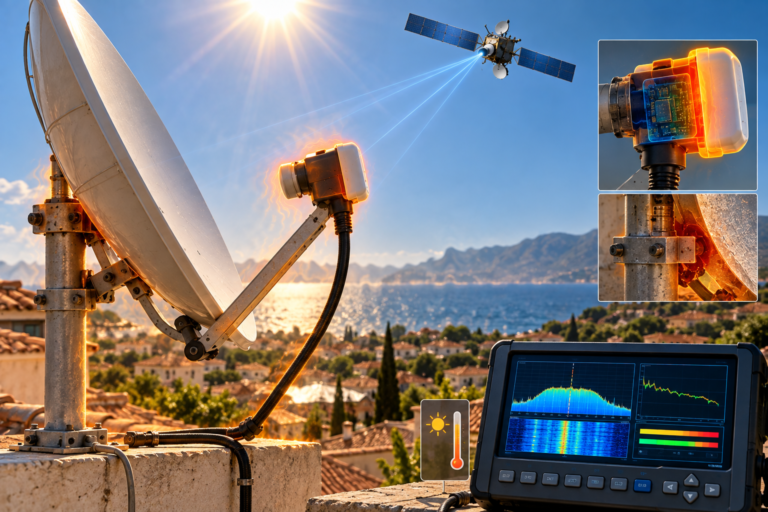
Thermal performance can also play a role. Devices that heat up during long sessions may reduce performance, affecting playback.
Different devices can show different results even on the same network. This highlights the importance of hardware capability.
How to diagnose freezing issues
Start by checking whether freezing occurs only during live matches. If so, peak demand and buffer limitations are likely factors.
Test the stream on another device. If one device freezes while another works smoothly, the issue is likely related to device performance.
Switch from WiFi to Ethernet if possible. If freezing improves, the problem is related to wireless stability.
Observe timing patterns. If freezing happens during major events but not during normal viewing, network load is a key factor.
Restarting devices and apps can help clear temporary issues, but understanding patterns provides better long term solutions.
| Factor | Technical Impact | Visible Result | Recommended Action |
|---|---|---|---|
| Peak demand | Increased server load | Freezing during live events | Compare performance at different times |
| High latency | Delayed data delivery | Playback pauses | Check connection stability |
| Small buffer | Limited stored data | Quick interruptions | Understand live stream behavior |
| WiFi instability | Packet delay or loss | Random freezing | Use Ethernet if possible |
| Device limitation | Slow processing | Lag or freeze | Test another device |
Reality Check
Freezing during live matches is not always a service failure. It is often the result of how streaming systems behave under high demand and real time conditions. Small timing issues that are normally invisible become noticeable during live events.
Final Verdict
Sky Italia freezing during live matches happens because live streaming reduces buffer size while increasing demand and sensitivity to timing. Network stability, latency, device performance, and peak load all play a role. Understanding these factors helps explain why freezing occurs and how to reduce its impact. In live streaming, maintaining balance across the system is critical for smooth playback.
FAQ
| Question | Answer |
|---|---|
| Why does Sky Italia freeze during live matches | Because live streaming has smaller buffers and higher demand, making it sensitive to timing issues. |
| Does internet speed prevent freezing | No. Stability and low latency are more important than speed alone. |
| Can WiFi cause freezing | Yes. WiFi instability can interrupt continuous data delivery. |
| Do devices affect live streaming | Yes. Device performance influences decoding and playback stability. |
| How can I reduce freezing | Use a stable connection, minimize interference, and ensure your device performs well. |