German Channels Not Working Astra 19.2 Fix Guide
Estimated reading time: 14 minutes.
When German channels stop working on Astra 19.2, the issue is rarely random. It usually follows a clear technical pattern. Some users lose all channels, others lose only specific groups, and sometimes channels appear but do not play correctly. Each of these behaviors points to a different part of the signal chain.
The mistake many people make is trying random fixes like rescanning or resetting the receiver. In reality, the solution depends on understanding where the signal is failing. This guide explains the real causes behind “German channels not working” and how to fix them step by step using a technical approach.
When German channels are not working on Astra 19.2, the problem is usually related to transponder lock failure, signal quality issues, LNB switching problems, or incorrect receiver settings.
- Different types of channel problems
- Transponder behavior and grouped channels
- Dish alignment and signal path issues
- LNB switching and hardware faults
- Receiver configuration and scan errors
- Signal quality vs visible signal
- Environmental and external effects
- Analytical diagnosis table
- Step by step fix guide
- FAQ
Different types of channel problems
German channels may stop working in different ways. Sometimes they disappear completely. Sometimes they show “no signal.” In other cases, they appear in the list but do not display video.
Each case has a different cause. Complete loss usually indicates a major issue like dish alignment or cable failure. Partial loss usually points to transponder or LNB switching issues. Playback problems often relate to signal quality or decoding errors.
Identifying the type of problem is the first step toward fixing it correctly.
Transponder behavior and grouped channels
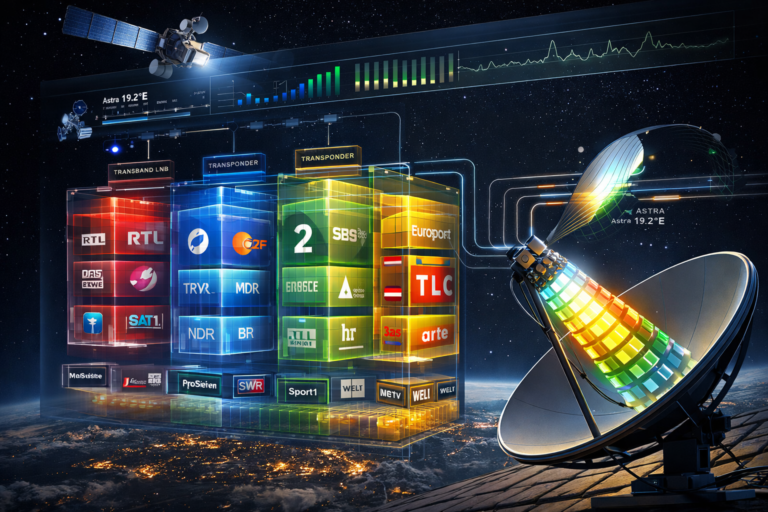
German channels are grouped inside transponders. This means multiple channels share the same signal path. If one transponder fails, all channels inside it stop working.
This is why channel problems often appear in groups. It is not a coincidence. It is a direct result of how signals are distributed on Astra 19.2.
If you notice that several channels fail together, focus on their shared transponder rather than treating them as separate issues.
Dish alignment and signal path issues
Dish alignment determines how well your system receives the satellite signal. Even a small misalignment can reduce signal quality.
A slightly misaligned dish may still receive strong transponders but fail weaker ones. This creates partial channel loss where some German channels stop working while others remain stable.
Fine adjustments to the dish position can significantly improve reception and restore missing channels.
LNB switching and hardware faults
The LNB controls frequency band selection and polarization switching. If it fails to switch correctly, entire groups of channels will stop working.
For example, if vertical polarization fails, all channels using that polarization will disappear. The same applies to high and low frequency bands.
LNB faults are common in older installations or when the unit is exposed to harsh weather conditions.
Receiver configuration and scan errors
Incorrect receiver settings can prevent channels from working. If the frequency, symbol rate, or polarization is wrong, the receiver cannot lock onto the signal.
Outdated transponder data is another common issue. Channels may move to new frequencies, and the receiver must be updated to find them.
Manual scanning with correct parameters is often required to restore missing channels.
Signal quality vs visible signal
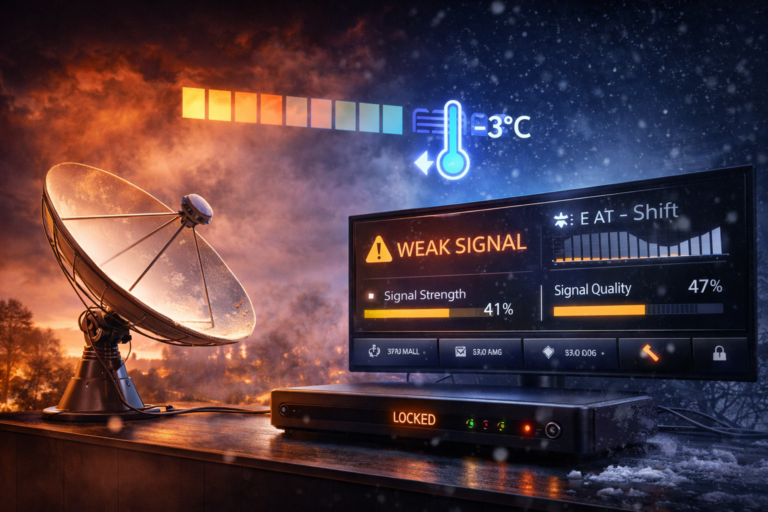
Many users rely on signal strength indicators, but strength alone is not enough. Signal quality determines whether the receiver can decode the channel.
A system may show signal presence but still fail to display channels due to poor quality. This is why some German channels stop working even when the signal bar looks normal.
Always focus on improving quality rather than just increasing strength.
Environmental and external effects
Weather conditions can affect satellite signals. Rain and heavy clouds reduce signal quality and may cause channels to stop working.
Obstacles such as trees or buildings can also block or weaken the signal. This creates uneven reception where some channels are affected more than others.
Environmental factors often reveal weak points in the installation.
Analytical diagnosis table
| Symptom | Cause | Meaning | Action |
|---|---|---|---|
| Channels missing completely | Dish or cable issue | Signal path failure | Check alignment and cable |
| Group of channels not working | Transponder issue | Grouped signal loss | Check frequency and LNB |
| Channels appear but no video | Low signal quality | Decoding failure | Improve signal quality |
| Channels missing by polarization | LNB switching problem | Hardware issue | Check LNB |
| Channels fail in rain | Weak signal margin | Environmental effect | Improve alignment |
Step by step fix guide
Start by identifying whether all channels or only some are affected. This determines whether the problem is general or specific.
Check signal quality on the receiver. If quality is low, adjust the dish alignment carefully.
Inspect the LNB and ensure proper switching between frequency bands and polarization.
Verify receiver settings and update transponder data if needed.
Check cables and connectors for damage or loose connections.
Test the system under normal weather conditions to confirm stability.
Most cases of German channels not working are caused by small technical issues, not major failures. Understanding signal structure helps solve the problem faster.
Fixing German channels on Astra 19.2 requires a structured approach. By focusing on transponders, signal quality, and hardware behavior, you can identify the real cause and restore stable reception without guesswork.
FAQ
| Question | Answer |
|---|---|
| Why are German channels not working | Usually due to signal quality issues, transponder failure, or LNB problems. |
| Should I rescan channels first | No. Check signal quality and hardware before rescanning. |
| Can LNB cause channel problems | Yes. Incorrect switching can affect entire channel groups. |
| Why do some channels work and others not | Because they are on different transponders with different signal conditions. |
| Does weather affect channels | Yes. Rain can reduce signal quality and cause channel loss. |